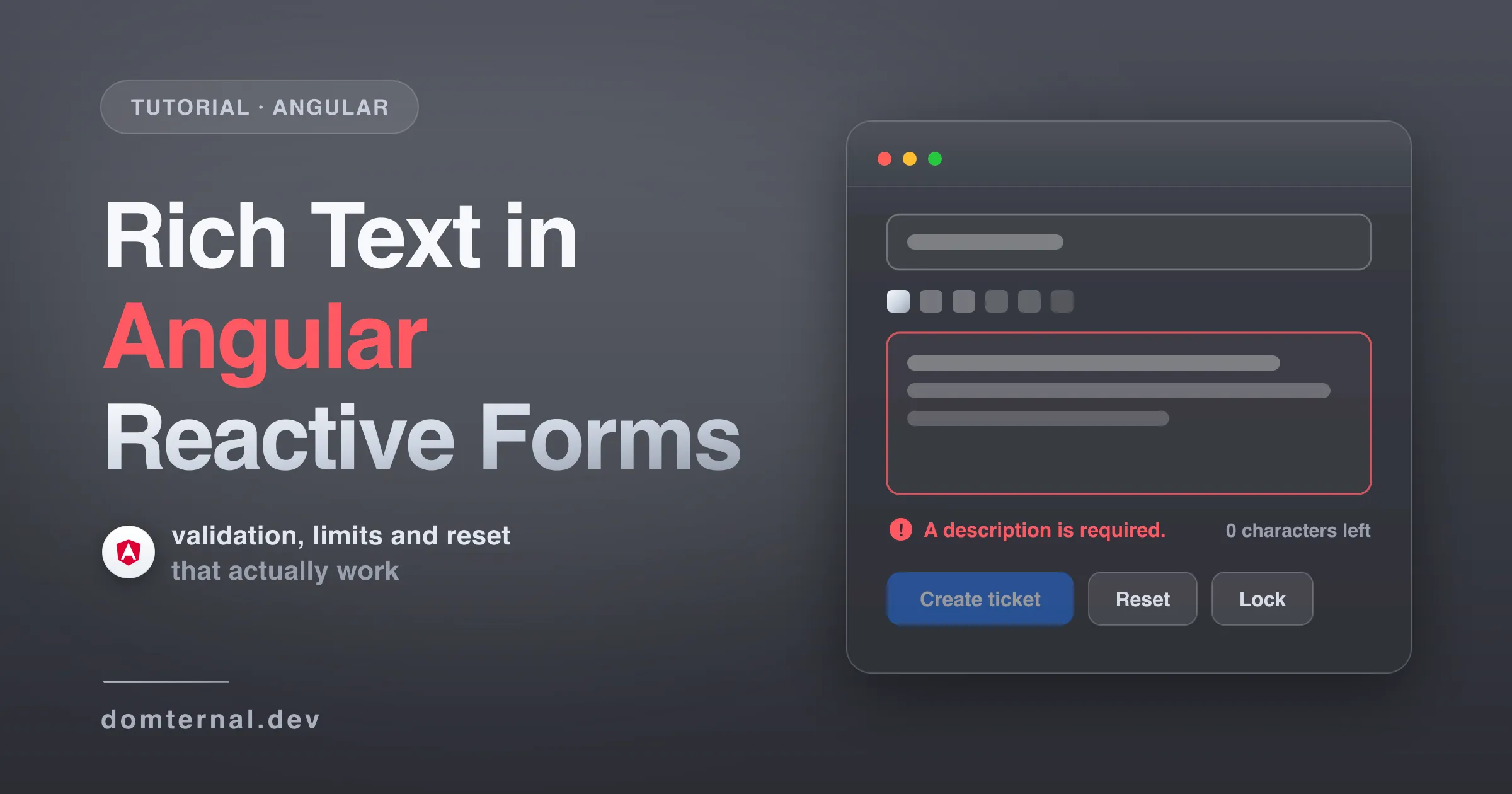
Sooner or later every Angular app grows a form with a rich text field: a ticket description, a product note, a CMS body. And that’s exactly where most editor integrations fall apart - Validators.required that always passes, reset() that leaves the form dirty, disable() that the toolbar happily ignores. In this tutorial we build a support ticket form whose editor behaves like a first-class form control, and we deal with each of those traps properly.
Everything here uses Domternal, an MIT-licensed rich text editor built on ProseMirror, whose Angular components are native standalone components with signals, not a wrapper around a React binding. Every snippet below was run, not just compiled - the videos are recorded from this tutorial’s own component, in a zoneless Angular 21 app.
What you’ll build
- An editor bound with
formControlNamelike any other input -<domternal-editor>implementsControlValueAccessor - Required validation that actually works - an emptied editor’s value is
'<p></p>', which passesValidators.required, so we validate against the editor itself - A 500-character limit enforced inside the editor, with a live countdown
- Lock and unlock through
FormControl.disable(), with a toolbar that follows along - Reset and submit that behave, in an OnPush component that works without zone.js
Here’s the finished form as a working form control:
Step 1: Install
npm install @domternal/core @domternal/theme @domternal/angular @domternal/extension-block-controlsFour packages: the headless core, the default theme, the Angular components, and the block-menu extension. That last one is a peer dependency of @domternal/angular - the floating menu component imports from it - so it has to be installed even if you never use it directly.
Then add the theme to your global stylesheet:
@use '@domternal/theme';Step 2: An editor bound to a FormControl
Start with the smallest thing that works:
import { Component, ChangeDetectionStrategy } from '@angular/core';import { FormControl, ReactiveFormsModule } from '@angular/forms';import { DomternalEditorComponent } from '@domternal/angular';import { StarterKit } from '@domternal/core';
@Component({  selector: 'app-ticket-form',  changeDetection: ChangeDetectionStrategy.OnPush,  imports: [ReactiveFormsModule, DomternalEditorComponent],  template: `    <domternal-editor [extensions]="extensions" [formControl]="description" />  `,})export class TicketFormComponent {  extensions = [StarterKit];  description = new FormControl('<p>The export button does nothing.</p>');}
Four things worth knowing before we go further:
domternal-editoris aControlValueAccessor, so[formControl],formControlNameand[(ngModel)]all just work. No glue directive, noViewChildplumbing.- The control value is an HTML string like
'<p>Hello</p>'(we’ll switch to JSON later if you prefer). It updates on every change to the document; moving the caret or selecting text never touches the form, sovalueChangeswon’t spam you while the user clicks around. - The component is its own
.dm-editorwrapper - the theme and all floating UI hang off the host element, so don’t add a wrapper div of your own. Toolbars and menus go next to it as siblings. - Write markup or ProseMirror JSON into the control, never plain text.
setValue('hello')is silently ignored because the editor only parses markup strings;setValue('<p>hello</p>')is what you mean.
StarterKit bundles the document schema, headings, lists, task lists, formatting marks, link handling and history; any piece can be switched off with StarterKit.configure().
Step 3: The ticket form
A real form has more than one field, so let’s move to a FormGroup with a subject input and a toolbar above the editor:
import { Component, ChangeDetectionStrategy, signal } from '@angular/core';import { FormControl, FormGroup, ReactiveFormsModule } from '@angular/forms';import { DomternalEditorComponent, DomternalToolbarComponent } from '@domternal/angular';import { StarterKit, Placeholder } from '@domternal/core';import type { Editor } from '@domternal/core';
@Component({  selector: 'app-ticket-form',  changeDetection: ChangeDetectionStrategy.OnPush,  imports: [ReactiveFormsModule, DomternalEditorComponent, DomternalToolbarComponent],  template: `    <form [formGroup]="form" (ngSubmit)="submit()">      <input formControlName="subject" placeholder="Subject" />
      @if (editor(); as ed) {        <domternal-toolbar [editor]="ed" />      }      <domternal-editor        [extensions]="extensions"        formControlName="description"        (editorCreated)="editor.set($event)"      />
      <button type="submit">Create ticket</button>    </form>  `,})export class TicketFormComponent {  extensions = [    StarterKit,    Placeholder.configure({ placeholder: 'Describe the problem…' }),  ];
  editor = signal<Editor | null>(null);
  form = new FormGroup({    subject: new FormControl(''),    description: new FormControl(''),  });
  submit(): void {    console.log(this.form.getRawValue());  }}
What’s new:
(editorCreated)feeds a signal. TheEditorinstance is created after the component’s first render, so it doesn’t exist at construction time. The output emits it once it does; stash it in a signal and guard everything that needs it with@if.domternal-toolbaris a sibling, wired through[editor]. Its buttons come from the extensions you registered - StarterKit alone gives you bold through code blocks, lists, link and undo/redo. The Toolbar guide covers custom layouts.Placeholderis not part of StarterKit, so add it explicitly - an empty bordered box is a sad thing to ship. We also startdescriptionempty now and let the placeholder do the talking.- Keep
extensionsa stable class field. Replacing the array recreates the editor: content survives the swap, but selection and undo history don’t.
Step 4: Required validation that actually works
Here’s the trap this whole tutorial exists for. Add Validators.required to description, delete everything in the editor, and the form stays valid. The reason: a rich text document can never be truly empty - the schema always keeps one empty paragraph - so the control value is '<p></p>'. That’s a seven-character string, and required only fails on null or length zero. The same applies in JSON mode, where the value is a non-null object.
So don’t ask the string; ask the editor:
import type { ValidatorFn } from '@angular/forms';
function richTextRequired(editor: () => Editor | null): ValidatorFn {  return () => {    const ed = editor();    return !ed || ed.isEmpty ? { required: true } : null;  };}
A signal is just a function that returns the current value, so the component’s editor signal slots straight in. Attach the validator once the editor exists, and add a touched signal we’ll need in a moment:
touched = signal(false);
onEditorCreated(ed: Editor): void {  this.editor.set(ed);  const description = this.form.controls.description;  description.addValidators(richTextRequired(this.editor));  description.updateValueAndValidity();}
And show the error only after the user has been in the field, the way every other input behaves:
<domternal-editor  [extensions]="extensions"  formControlName="description"  (editorCreated)="onEditorCreated($event)"  (blurChanged)="touched.set(true)"/>
@if (touched() && form.controls.description.hasError('required')) {  <span class="error">A description is required.</span>}
<button type="submit" [disabled]="form.invalid">Create ticket</button>
Two details that matter:
- The validator re-runs on every edit because the editor pushes a fresh value into the control on each document change, and
editor.isEmptyunderstands the schema (one empty paragraph counts as empty, stray hard breaks too). - Why the
touchedsignal? The control does flip touched when the editor blurs, but there’s no signal for it - the only notification is thecontrol.eventsobservable, and even subscribing to that won’t schedule change detection under OnPush or in a zoneless app. The(blurChanged)output gives you both an event that schedules change detection and a place to record it.
Step 5: A character limit with a live counter
Ticket descriptions shouldn’t be novels. CharacterCount enforces a limit inside the editor itself:
import { StarterKit, Placeholder, CharacterCount } from '@domternal/core';import type { Editor, CharacterCountStorage } from '@domternal/core';
extensions = [  StarterKit,  Placeholder.configure({ placeholder: 'Describe the problem…' }),  CharacterCount.configure({ limit: 500 }),];
remaining = signal(500);
updateCounter(ed: Editor): void {  const storage = ed.storage['characterCount'] as CharacterCountStorage;  this.remaining.set(storage.remaining());}
Wire the counter to the (contentUpdated) output, and call updateCounter(ed) once in onEditorCreated so it starts correct:
<domternal-editor ... (contentUpdated)="updateCounter($event.editor)"/><span class="counter">{{ remaining() }} characters left</span>How it behaves:
- The limit is enforced at the source. Any edit that would exceed it - typing, pasting, dropping - is rejected inside the editor, so the control value can never be over the limit and there’s nothing extra to validate. Note that rejected means rejected: a paste that would blow past the limit doesn’t get truncated, it simply doesn’t happen.
- Counts are functions on
editor.storage['characterCount']-characters(),words(),remaining(),isLimitExceeded()- re-read them whenever(contentUpdated)fires. The bracket access matters:storageis typed as an index signature, and Angular CLI’s strictnoPropertyAccessFromIndexSignaturerejects the dot form. - Prefer a soft limit? Skip
limitand validatestorage.characters()yourself - the counting functions work with or without enforcement.
Step 6: Lock, reset, submit
Three buttons finish the form, plus a panel that renders the submitted payload (the json pipe comes from JsonPipe in @angular/common):
<div class="actions">  <button type="submit" [disabled]="form.invalid">Create ticket</button>  <button type="button" (click)="resetForm()">Reset</button>  <button type="button" (click)="toggleLock()">    {{ form.controls.description.disabled ? 'Unlock' : 'Lock' }}  </button></div>
@if (submitted(); as payload) {  <pre class="payload">{{ payload | json }}</pre>}
submitted = signal<unknown>(null);
toggleLock(): void { const description = this.form.controls.description; if (description.disabled) { description.enable(); } else { description.disable(); }}
resetForm(): void { this.form.reset(); this.form.markAsPristine(); this.touched.set(false); this.submitted.set(null);}
submit(): void { if (this.form.invalid) return; this.submitted.set(this.form.getRawValue());}Each one has a sharp edge worth knowing:
-
disable()reaches the editor, not the toolbar. The editor goes properly read-only (contenteditable="false"plusaria-readonly="true"), but the toolbar is a separate component that doesn’t know about your form - its buttons stay live and will happily edit a disabled control. Hide it yourself with the editor component’sisEditable()signal and a template reference:@if (editor(); as ed) {@if (editorCmp.isEditable()) {<domternal-toolbar [editor]="ed" />}}<domternal-editor #editorCmp ... /> -
reset()never leavesnullin the control. The editor clears itself, then immediately echoes the normalized empty value'<p></p>'back into the control - which also re-marks the form dirty. CallmarkAsPristine()right afterreset()and clear yourtouchedsignal, and the form is genuinely fresh. -
Initial disabled state needs the input, not the control.
new FormControl({ value, disabled: true })arrives before the editor exists and the disabled flag gets lost during creation - bind[editable]="false"or calldisable()after(editorCreated)instead. -
The submitted value is HTML. Treat it like any user input: sanitize it server-side before you render it anywhere else.
HTML or JSON?
By default the form value is an HTML string. If your backend stores structured content, switch the editor to ProseMirror JSON:
<domternal-editor ... outputFormat="json" />Now the control holds a document object (not a JSON string), so type it accordingly - FormControl<JSONContent | null> with JSONContent from @domternal/core. Initial values and anything you setValue must then be JSON too. Pick one format per control and stay with it; the editor compares and writes values in the configured format, so mixing the two leaves the form and the editor out of sync.
The full component
import { Component, ChangeDetectionStrategy, signal } from '@angular/core';import { FormControl, FormGroup, ReactiveFormsModule } from '@angular/forms';import type { ValidatorFn } from '@angular/forms';import { JsonPipe } from '@angular/common';import { DomternalEditorComponent, DomternalToolbarComponent } from '@domternal/angular';import { StarterKit, Placeholder, CharacterCount } from '@domternal/core';import type { Editor, CharacterCountStorage } from '@domternal/core';
function richTextRequired(editor: () => Editor | null): ValidatorFn {  return () => {    const ed = editor();    return !ed || ed.isEmpty ? { required: true } : null;  };}
@Component({  selector: 'app-ticket-form',  changeDetection: ChangeDetectionStrategy.OnPush,  imports: [ReactiveFormsModule, JsonPipe, DomternalEditorComponent, DomternalToolbarComponent],  template: `    <form [formGroup]="form" (ngSubmit)="submit()" class="ticket-form">      <input formControlName="subject" placeholder="Subject" />
      @if (editor(); as ed) {        @if (editorCmp.isEditable()) {          <domternal-toolbar [editor]="ed" />        }      }      <domternal-editor        #editorCmp        [extensions]="extensions"        formControlName="description"        (editorCreated)="onEditorCreated($event)"        (contentUpdated)="updateCounter($event.editor)"        (blurChanged)="touched.set(true)"      />
      <div class="meta">        @if (touched() && form.controls.description.hasError('required')) {          <span class="error">A description is required.</span>        }        <span class="counter">{{ remaining() }} characters left</span>      </div>
      <div class="actions">        <button type="submit" [disabled]="form.invalid">Create ticket</button>        <button type="button" (click)="resetForm()">Reset</button>        <button type="button" (click)="toggleLock()">          {{ form.controls.description.disabled ? 'Unlock' : 'Lock' }}        </button>      </div>
      @if (submitted(); as payload) {        <pre class="payload">{{ payload | json }}</pre>      }    </form>  `,  styles: `    .ticket-form { display: flex; flex-direction: column; gap: 0.75rem; max-width: 720px; margin: 0 auto; }    input { padding: 0.6rem 0.8rem; border: 1px solid #d6dae1; border-radius: 8px; font: inherit; }    domternal-editor { min-height: 10rem; }    .meta { display: flex; min-height: 1.25rem; font-size: 0.875rem; }    .error { color: #c43d3d; }    .counter { color: #8a8f98; margin-left: auto; }    .actions { display: flex; gap: 0.5rem; }    button { padding: 0.5rem 1rem; border: 1px solid #d6dae1; border-radius: 8px; background: #fff; font: inherit; cursor: pointer; }    button[type='submit'] { background: #1f6feb; border-color: #1f6feb; color: #fff; }    button[type='submit']:disabled { opacity: 0.45; cursor: not-allowed; }    .payload { background: #f6f8fa; border: 1px solid #e4e8ee; border-radius: 8px; padding: 0.75rem 1rem; font-size: 0.8125rem; overflow: auto; }  `,})export class TicketFormComponent {  extensions = [    StarterKit,    Placeholder.configure({ placeholder: 'Describe the problem…' }),    CharacterCount.configure({ limit: 500 }),  ];
  editor = signal<Editor | null>(null);  remaining = signal(500);  touched = signal(false);  submitted = signal<unknown>(null);
  form = new FormGroup({    subject: new FormControl(''),    description: new FormControl(''),  });
  onEditorCreated(ed: Editor): void {    this.editor.set(ed);    const description = this.form.controls.description;    description.addValidators(richTextRequired(this.editor));    description.updateValueAndValidity();    this.updateCounter(ed);  }
  updateCounter(ed: Editor): void {    const storage = ed.storage['characterCount'] as CharacterCountStorage;    this.remaining.set(storage.remaining());  }
  submit(): void {    if (this.form.invalid) return;    this.submitted.set(this.form.getRawValue());  }
  resetForm(): void {    this.form.reset();    this.form.markAsPristine();    this.touched.set(false);    this.submitted.set(null);  }
  toggleLock(): void {    const description = this.form.controls.description;    if (description.disabled) {      description.enable();    } else {      description.disable();    }  }}
That’s a rich text field that validates, counts, locks, resets and submits like every other control in your form - no zone.js required, no markForCheck() anywhere.
Where to go next
- Angular guide - all six components, the signals API, output format and disabled state in detail
- Character Count - the limit option and the counting functions from step 5
- Placeholder - the empty-state hint from step 3
- Toolbar guide - custom layouts, icons and the
'|'separator syntax - Angular Deserves Better Than React Editor Wrappers - why Domternal’s Angular support is a first-class citizen, not an afterthought