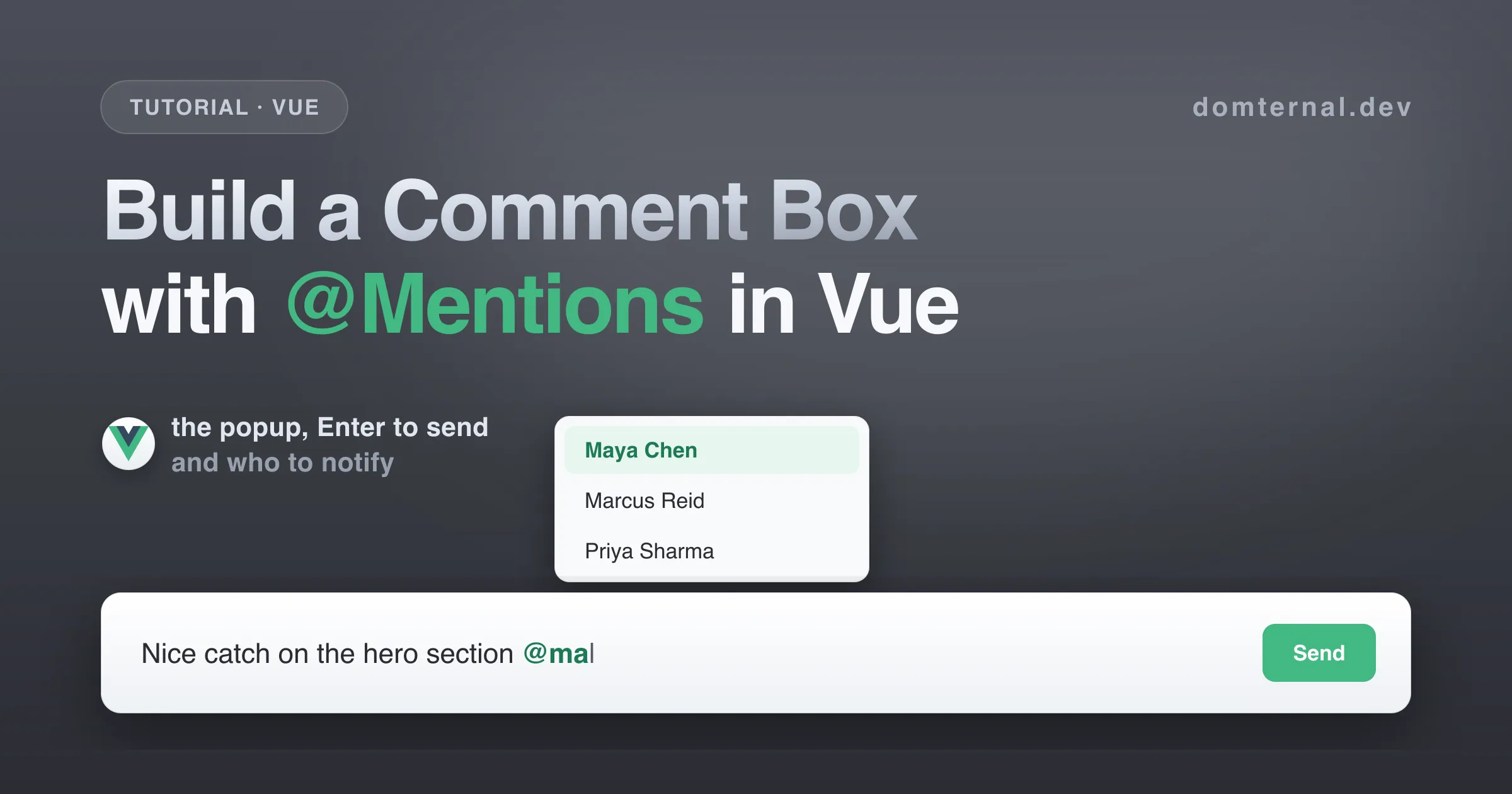
Sooner or later every collaborative product grows a comment box, and the comment box grows mentions. That second part is where rich text gets real: a popup that follows the caret, filters people as you type, handles arrow keys and Enter without fighting the editor, and a document that still knows who was mentioned when you hit send. This tutorial builds the whole thing in Vue: a chat-style composer where Enter sends, Shift+Enter breaks the line, @ mentions teammates, and the thread below lists exactly who should get a notification.
Everything here uses Domternal, an MIT-licensed rich text editor built on ProseMirror, through its Vue 3 composables. The full component is about 170 lines including styles, and it is at the end of the article.
What you’ll build
- A comment composer built on the
useEditorcomposable, with a Send button that disables itself while the box is empty - An @mention popup that filters your team as you type, with full keyboard navigation
- Enter sends, Shift+Enter breaks the line, and the popup keeps Enter for itself while it is open
- Emoji with
:shortcode:autocomplete and old-school emoticons like<3 - A thread that renders submitted comments, styles mention pills outside the editor, and extracts who to notify on every send
Here’s the finished composer and thread we’ll have by the end:
Step 1: Install
npm install @domternal/core @domternal/theme @domternal/vue @domternal/extension-mention @domternal/extension-emojiFive packages: @domternal/core is the editor engine plus the built-in extensions, @domternal/theme is the stylesheet, @domternal/vue is the Vue 3 wrapper, and @domternal/extension-mention and @domternal/extension-emoji are the two stars of this tutorial. A comment box never shows a drag handle, so it needs no block-controls package: since v0.9.0 the framework wrappers depend only on @domternal/core and @domternal/theme.
Load the theme once, in main.ts:
import '@domternal/theme';Step 2: A minimal composer
Start with the smallest thing that feels like a comment box: an editor, a placeholder, and a Send button that knows when there is nothing to send.
<script setup lang="ts">import { useEditor, useEditorState } from '@domternal/vue';import { Bold, Italic, HardBreak, Placeholder } from '@domternal/core';
const extensions = [  Bold,  Italic,  HardBreak,  Placeholder.configure({ placeholder: 'Write a comment. Type @ to mention someone.' }),];
const { editor, editorRef } = useEditor({ extensions, autofocus: 'end' });const isEmpty = useEditorState(editor, (ed) => ed.isEmpty);</script>
<template>  <div class="composer">    <div class="dm-editor composer-editor">      <div ref="editorRef" />    </div>    <div class="composer-actions">      <button type="button" class="composer-send" :disabled="isEmpty ?? true">Send</button>    </div>  </div></template>
The theme draws the box: .dm-editor gets the border, background, and rounded corners, and the editor mounts into the inner div behind editorRef. Five things worth knowing:
useEditoralways prependsDocument,Paragraph,Text,BaseKeymap, andHistory. Paragraphs, undo, and the core keybindings come free; you only list what you add. That is also why Cmd/Ctrl+B and Cmd/Ctrl+I already work:BoldandItalicbring their own shortcuts.editoris aShallowRef<Editor | null>. It staysnullon the server and until the component mounts, which is what makes the composable SSR-safe.useEditorState(editor, selector)returns a debounced computed: bursts of transactions are coalesced into a single recompute that fires a doublerequestAnimationFrameafter the last change, and the?? truecovers the pre-mountnull.autofocus: 'end'drops the cursor into the composer on mount, the way Slack or Linear do. On 0.8.0 and earlier it also matters for the prompt text: those releases paint the placeholder only after the editor’s first transaction, which the focus call provides.- Keep
extensionsa plain constant. The composable watches the array reference and recreates the editor if it changes.
The default editor padding is sized for documents, not one-liners. The .ProseMirror element is plain CSS, so size it like any other element. These rules live in the component’s <style scoped> block, where :deep() reaches the runtime-created .ProseMirror element:
.composer { display: flex; flex-direction: column; gap: 0.5rem;}.composer-editor :deep(.ProseMirror) { min-height: 3.25rem; padding: 0.55rem 0.75rem;}Step 3: The @mention popup
Mentions are one extension and one config object. Give it a trigger character, a name for the trigger, a way to get items, and the built-in popup renderer:
import { Mention, createMentionSuggestionRenderer } from '@domternal/extension-mention';import type { MentionItem } from '@domternal/extension-mention';
const TEAM: MentionItem[] = [  { id: '1', label: 'Maya Chen' },  { id: '2', label: 'Marcus Reid' },  { id: '3', label: 'Priya Sharma' },  { id: '4', label: 'Tom Bauer' },  { id: '5', label: 'Sofia Alvarez' },  { id: '6', label: 'Daniel Kovac' },];
const extensions = [  // ...everything from step 2,  Mention.configure({    suggestion: {      char: '@',      name: 'user',      items: ({ query }) =>        TEAM.filter((user) => user.label.toLowerCase().includes(query.toLowerCase())),      render: createMentionSuggestionRenderer(),    },  }),];
Typing @ at the start of the comment or after a space opens the popup immediately (on a line started with Shift+Enter, type a space first: the trigger only fires at the start of the paragraph or after a literal space). The filtering is entirely yours: items receives the text typed after the trigger and returns an array, synchronously like here or as a Promise from your API (there is a debounce option for exactly that, see the Mention reference). The default renderer shows up to eight results, navigates with ArrowUp and ArrowDown, inserts on Enter or click, and dismisses on Escape.
Picking someone replaces the trigger and query with a mention node and a trailing space, so you keep typing without touching the space bar. The node is an inline atom: the caret treats @Marcus Reid as a single unit, and one Backspace right after it removes the whole pill, not the last letter. In the document it serializes as
<span class="mention" data-type="mention" data-id="2" data-label="Marcus Reid" data-mention-type="user">@Marcus Reid</span>which is exactly what makes the notify step at the end of this tutorial possible.
On 0.8.0 and earlier, one thing will look broken the first time you try it: the popup gets clipped at the editor’s bottom edge. Those releases set overflow: hidden on .dm-editor, so rounded corners crop scrolling content, and in a tall document you never notice, because the popup opens next to the caret, well inside the box. A one-line composer has no “inside”, so let the popup escape (newer releases clip content on an inner wrapper instead, which makes this override a harmless no-op):
.composer-editor { overflow: visible;}Two details to file away: mention queries accept letters, numbers, and _ . - +, so typing a space closes the popup (set allowSpaces: true if you want to match across full names, at the cost of the popup lingering mid-sentence). And MentionItem only requires id and label; any extra fields like an avatar URL ride along untouched for the day you swap in a custom popup renderer.
Step 4: Enter sends, Shift+Enter breaks
A chat-style composer means Enter should not create a paragraph. In Domternal, keybindings are extensions, so the cleanest way to claim a key is a three-line extension of your own:
import { Extension } from '@domternal/core';
const SubmitOnEnter = Extension.create({  name: 'submitOnEnter',  addKeyboardShortcuts() {    return {      Enter: () => {        submit();        return true;      },    };  },});
Add SubmitOnEnter to the extensions array, and HardBreak (already there since step 2) keeps Shift+Enter as the line break. Returning true consumes the key: every addKeyboardShortcuts handler lands in one merged keymap that runs before BaseKeymap’s bindings, so the default split-paragraph behavior never fires.
The part you would expect to be fiddly is free: while the suggestion popup is open, Enter selects the highlighted person instead of sending the comment. The suggestion plugin listens to keydown at the DOM level, which ProseMirror consults before any keymap, so your Enter binding only ever sees the key when no popup is open. The one surprise worth knowing: that stays true on the “No results” state, where Enter is swallowed and does nothing until you close the popup with Escape or fix the query.
submit reads the editor, pushes the comment, and resets:
import { ref } from 'vue';
interface Comment {  id: number;  html: string;  notify: string[];}
const comments = ref<Comment[]>([]);
function submit() {  const ed = editor.value;  if (!ed || ed.isEmpty) return;  comments.value.push({    id: comments.value.length + 1,    html: ed.getHTML(),    notify: [],  });  ed.clearContent();  ed.focus();}
The ed.isEmpty guard means Enter on an empty composer does nothing at all, and clearContent plus focus puts you straight into the next comment. Wire the same function to the Send button (@click="submit") so mouse users get it too, and render the thread above the composer:
<section class="thread">  <p v-if="comments.length === 0" class="thread-empty">    No comments yet. Start the discussion below.  </p>
  <article v-for="comment in comments" :key="comment.id" class="thread-comment">    <div class="thread-comment-body" v-html="comment.html"></div>  </article>
  <!-- composer from step 2, plus @click="submit" on the Send button --></section>
Since the comment HTML comes from your own editor this is fine for a demo, but in a real app treat it like any user content and sanitize it server-side before storing or re-rendering it.
There is one styling gotcha hiding here. Inside the editor, mention pills are styled by the theme. The theme scopes those rules under .dm-editor .ProseMirror, so the same <span class="mention"> rendered in your thread gets nothing. The thread needs its own pill rule, and because the HTML comes from v-html, a scoped style block needs :deep():
.thread-comment-body :deep(.mention) { background: #e8f6ef; color: #1d7a55; border-radius: 4px; padding: 0.1em 0.3em; font-weight: 500;}Step 5: Who gets notified
Mentions that just look like pills are decoration. The point of the feature is the side effect: when a comment lands, somebody gets pinged. The Mention extension keeps a storage API for exactly this, findMentions(), which walks the document and returns every mention with its id, label, type, and position.
editor.storage is typed as Record<string, unknown>, so cast the entry to the storage interface the package exports:
import type { MentionStorage } from '@domternal/extension-mention';
function submit() {  const ed = editor.value;  if (!ed || ed.isEmpty) return;  const mentions = (ed.storage.mention as MentionStorage).findMentions();  comments.value.push({    id: comments.value.length + 1,    html: ed.getHTML(),    notify: [...new Set(mentions.map((m) => m.label))],  });  ed.clearContent();  ed.focus();}
The Set dedupes, so mentioning the same person three times in one comment notifies them once. In a real app you would send mentions.map((m) => m.id) to your backend; here the thread just shows the names:
<p v-if="comment.notify.length" class="thread-comment-notify"> Notifies {{ comment.notify.join(', ') }}</p>Step 6: Emoji
The emoji extension follows the same suggestion pattern as mentions, with a : trigger and a built-in dataset, so wiring it up is two lines of config:
import { Emoji, createEmojiSuggestionRenderer } from '@domternal/extension-emoji';
const extensions = [  // ...everything from steps 2 and 3,  Emoji.configure({    enableEmoticons: true,    suggestion: { render: createEmojiSuggestionRenderer() },  }),  SubmitOnEnter,];
That enables three input paths at once. Typing : after a space opens an autocomplete popup that searches as you type. Typing a complete shortcode like :tada: converts on the closing colon, no popup needed. And with enableEmoticons on, classics like :) and <3 convert the moment you type a space after them.
The search is a substring match across each emoji’s name, shortcodes, and tags, in dataset order with no ranking. That has a funny consequence: :fi lists the grinning-squinting face before fire, because its satisfied shortcode contains fi. Type one more letter or arrow down to what you want. The default dataset is a curated set of 218 popular emoji (about 5 KB gzipped); if someone misses their :rocket:, import allEmojis and pass Emoji.configure({ emojis: allEmojis, ... }) for the 516-emoji set.
Unlike mentions, emoji need zero extra CSS in the thread: the inserted node serializes to a plain unicode character wrapped in a span, so it renders everywhere text does.
Using Nuxt?
Everything above is SSR-safe out of the box. useEditor creates the editor in onMounted, so on the server editor.value is simply null, and the selector form of useEditorState returns undefined (which the ?? true on the Send button already handles). No <ClientOnly> wrapper needed. If you want to server-render the comment thread itself from stored JSON, @domternal/vue re-exports generateHTML from the core, which converts stored documents to HTML without creating an editor.
The full component
<script setup lang="ts">import { ref } from 'vue';import { useEditor, useEditorState } from '@domternal/vue';import { Bold, Italic, HardBreak, Placeholder, Extension } from '@domternal/core';import { Mention, createMentionSuggestionRenderer } from '@domternal/extension-mention';import type { MentionItem, MentionStorage } from '@domternal/extension-mention';import { Emoji, createEmojiSuggestionRenderer } from '@domternal/extension-emoji';
const TEAM: MentionItem[] = [  { id: '1', label: 'Maya Chen' },  { id: '2', label: 'Marcus Reid' },  { id: '3', label: 'Priya Sharma' },  { id: '4', label: 'Tom Bauer' },  { id: '5', label: 'Sofia Alvarez' },  { id: '6', label: 'Daniel Kovac' },];
interface Comment {  id: number;  html: string;  notify: string[];}
const comments = ref<Comment[]>([]);
const SubmitOnEnter = Extension.create({  name: 'submitOnEnter',  addKeyboardShortcuts() {    return {      Enter: () => {        submit();        return true;      },    };  },});
const extensions = [  Bold,  Italic,  HardBreak,  Placeholder.configure({ placeholder: 'Write a comment. Type @ to mention someone.' }),  Mention.configure({    suggestion: {      char: '@',      name: 'user',      items: ({ query }) =>        TEAM.filter((user) => user.label.toLowerCase().includes(query.toLowerCase())),      render: createMentionSuggestionRenderer(),    },  }),  Emoji.configure({    enableEmoticons: true,    suggestion: { render: createEmojiSuggestionRenderer() },  }),  SubmitOnEnter,];
const { editor, editorRef } = useEditor({ extensions, autofocus: 'end' });const isEmpty = useEditorState(editor, (ed) => ed.isEmpty);
function submit() {  const ed = editor.value;  if (!ed || ed.isEmpty) return;  const mentions = (ed.storage.mention as MentionStorage).findMentions();  comments.value.push({    id: comments.value.length + 1,    html: ed.getHTML(),    notify: [...new Set(mentions.map((m) => m.label))],  });  ed.clearContent();  ed.focus();}</script>
<template>  <section class="thread">    <p v-if="comments.length === 0" class="thread-empty">      No comments yet. Start the discussion below.    </p>
    <article v-for="comment in comments" :key="comment.id" class="thread-comment">      <div class="thread-comment-body" v-html="comment.html"></div>      <p v-if="comment.notify.length" class="thread-comment-notify">        Notifies {{ comment.notify.join(', ') }}      </p>    </article>
    <div class="composer">      <div class="dm-editor composer-editor">        <div ref="editorRef" />      </div>      <div class="composer-actions">        <button type="button" class="composer-send" :disabled="isEmpty ?? true" @click="submit">          Send        </button>      </div>    </div>  </section></template>
<style scoped>.thread {  display: flex;  flex-direction: column;  gap: 0.75rem;}.thread-empty {  margin: 0;  color: #87878c;  font-size: 0.9375rem;}.thread-comment {  border: 1px solid #e4e4e7;  border-radius: 10px;  padding: 0.75rem 1rem 0.625rem;}.thread-comment-body :deep(p) {  margin: 0 0 0.25rem;}.thread-comment-body :deep(p:last-child) {  margin-bottom: 0;}.thread-comment-body :deep(.mention) {  background: #e8f6ef;  color: #1d7a55;  border-radius: 4px;  padding: 0.1em 0.3em;  font-weight: 500;}.thread-comment-notify {  margin: 0.375rem 0 0;  font-size: 0.8125rem;  color: #87878c;}.composer {  display: flex;  flex-direction: column;  gap: 0.5rem;}.composer-editor {  overflow: visible;}.composer-editor :deep(.ProseMirror) {  min-height: 3.25rem;  padding: 0.55rem 0.75rem;}.composer-actions {  display: flex;  justify-content: flex-end;}.composer-send {  border: none;  border-radius: 8px;  background: #42b883;  color: #fff;  font-size: 0.9375rem;  font-weight: 600;  padding: 0.45rem 1.1rem;  cursor: pointer;}.composer-send:hover:enabled {  background: #369b6f;}.composer-send:disabled {  background: #d4d4d8;  cursor: not-allowed;}</style>
That’s the whole thing: a composer with mentions, emoji, Enter to send, and a thread that knows exactly who to notify, in one Vue component.
Where to go next
- Mention reference - multiple triggers (
#for issues alongside@for people), async items with debouncing, custom popup renderers with avatars - Emoji reference - the full dataset, custom datasets, and the ready-made emoji picker component
- Vue guide -
DomternalEditorwithv-model, the compound<Domternal>components, toolbars, and Vue node views - Getting started - the same editor in every supported setup